
【How to Use】Schedule

Hello!
We will show you how to use Ch-OMUSUBI in several articles.
In this article, we will explain Schedule.

This feature allows you to create a live-streaming schedule with a specific date and time in advance. This allows you to share the scheduled live streaming time and link to the live streaming with viewers in advance, which can be expected to increase the number of viewers.
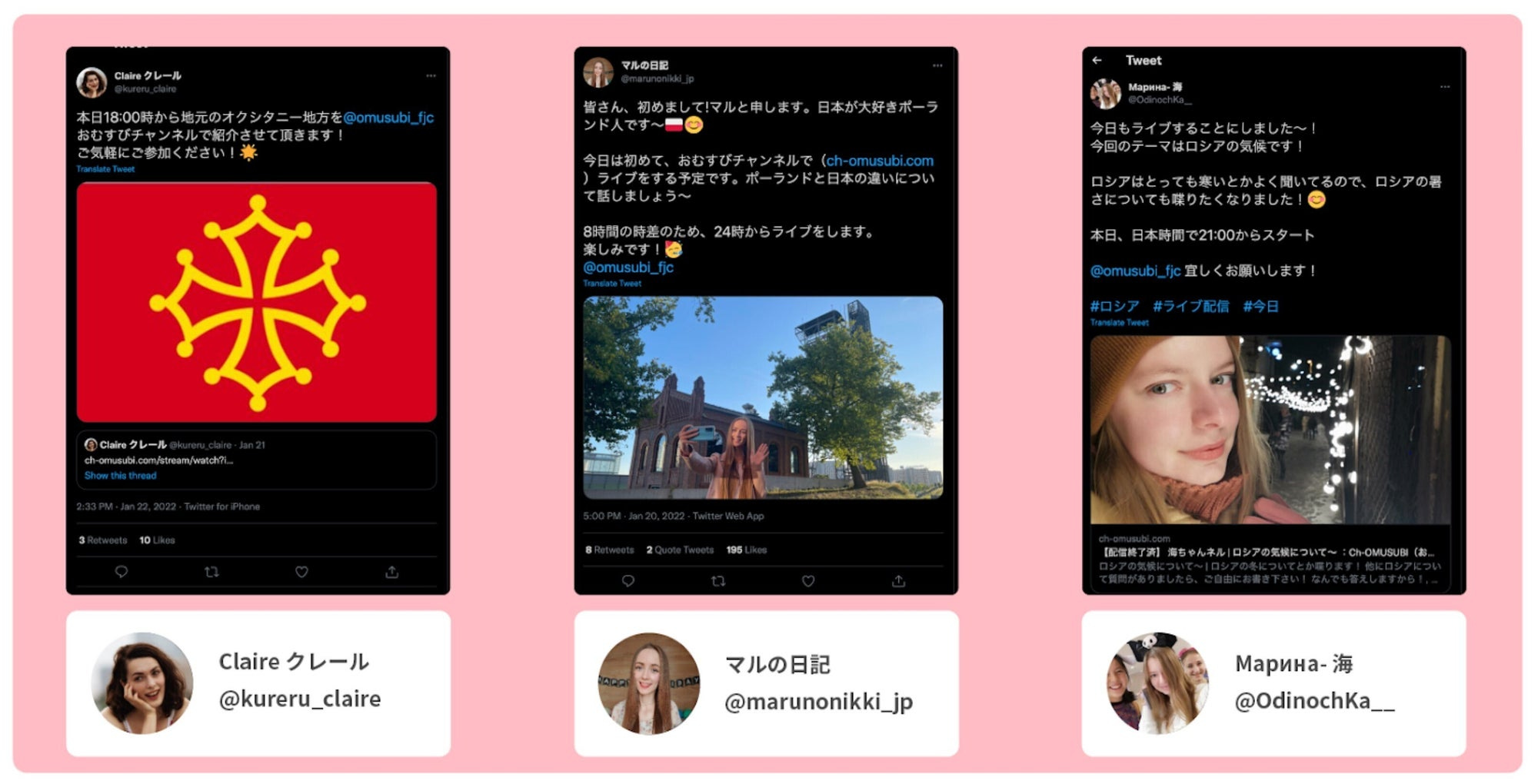
When you create a live streaming schedule, be sure to share it on other social networking services such as Twitter. When you share on Twitter, please add a mention to “omusubi_fjc” on Twitter so that we can reach more people more efficiently!

(For Streamers) How to set up a schedule
1) Go to Scheduling page
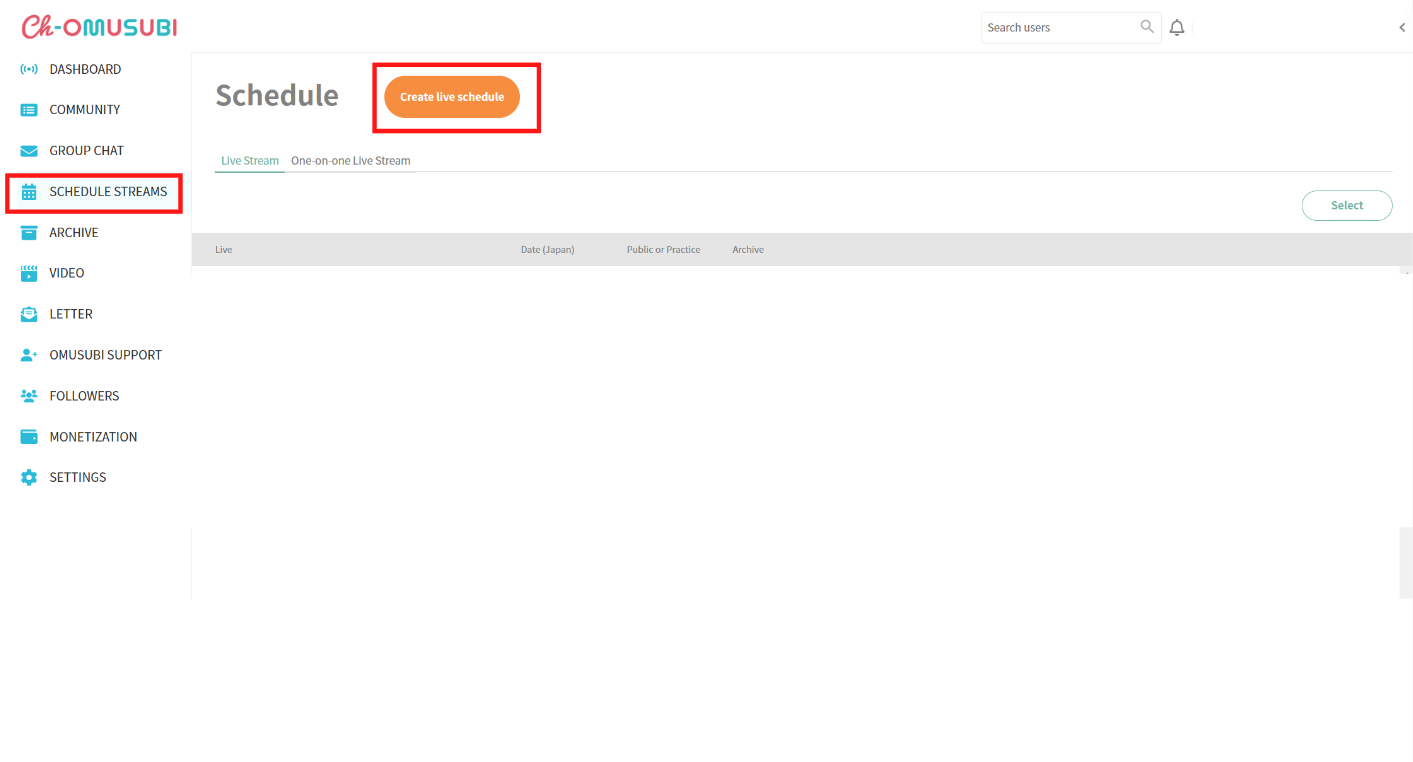
Click "Schedule Streams" from the sidebar of the Channel Dashboard to go to "Schedule" and click the "Create live schedule" button.
2) Create a Live Schedule
When the window opens, enter information and the scheduled start date and time, then click "Create Live Schedule" to complete.
3) Share the link
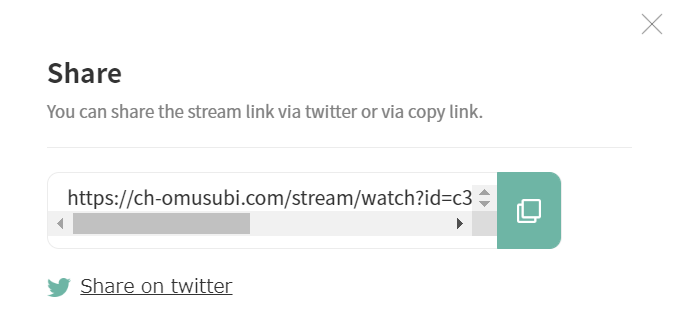
After creating a schedule, a link will be issued to share on social networking sites to increase the number of viewers.
4) Start live streaming
Five minutes before the scheduled time, the "Start" button can be clicked from the "Schedule" screen to start the live streaming.
(For Viewers) How to check the schedule
View a list of schedules
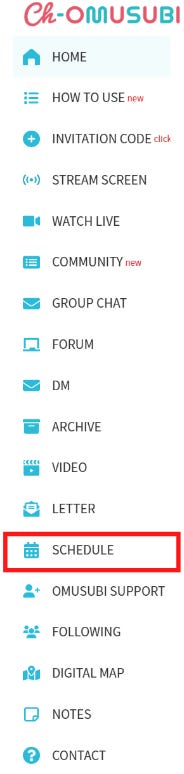
Click "Schedule" from the sidebar to see a list of current and upcoming live streaming schedules.
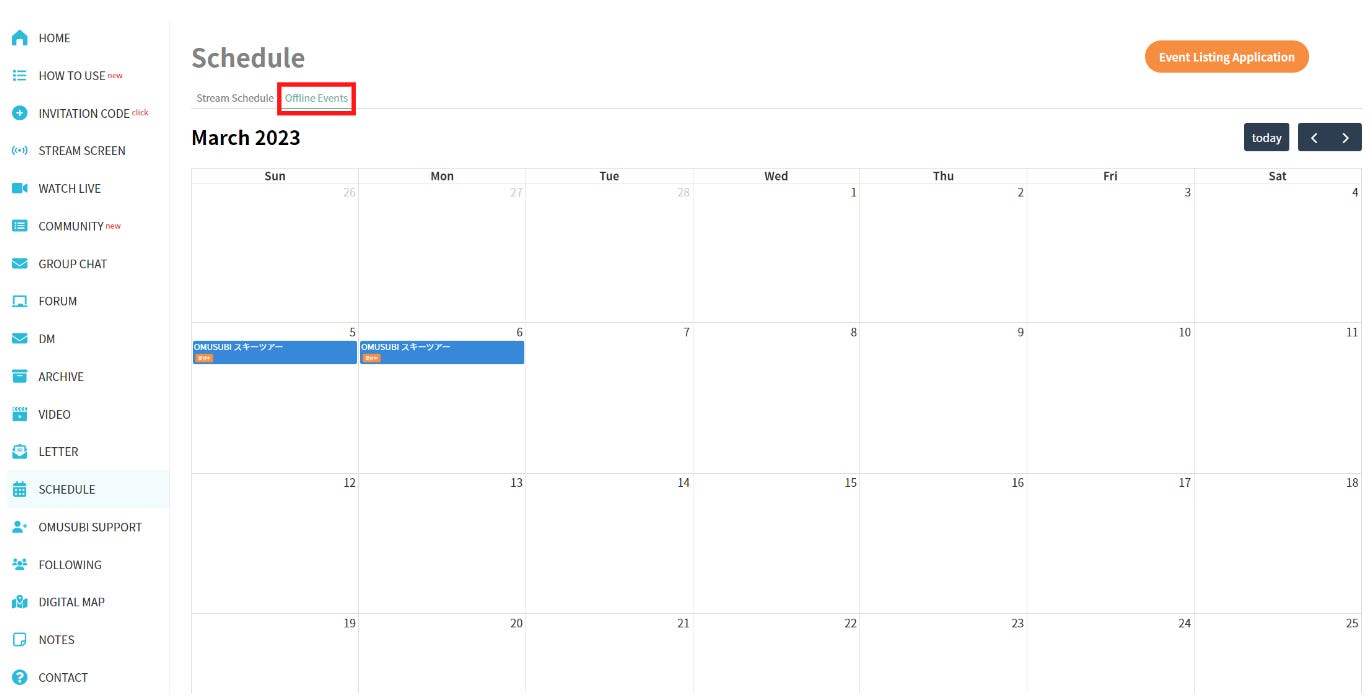
Check the schedule of Offline Events
On the same screen, change the tab to "Offline Events" to check the schedule of official events and events hosted by streamers.
Q&A
Q1: (For Streamer) When I schedule live streaming, does the live streaming automatically start at the scheduled time?
A1: No. You need to start the live streaming manually. Please start it from the “manage schedule” screen at the date and time you set in the schedule.
Q2: I live outside of Japan. Can I set up the schedule at Universal Coordinated Time (UTC) or my local time?
A2: The scheduled time must be set in Japan Standard Time (JST).
Q3: (For Viewer) I can't see the streamer's schedule.
A3: The scheduled live streaming is started manually by the streamer. The schedule must be published by the streamer. Therefore, not all streamers publish their schedules, so they may not be displayed.
Q4: (For Viewer) Live streaming does not start even though the start time has arrived.
A4: Scheduled live streaming is also started manually by the streamer. There is a possibility of a delay in the start time or cancellation.
Enjoy Ch-OMUSUBI!